

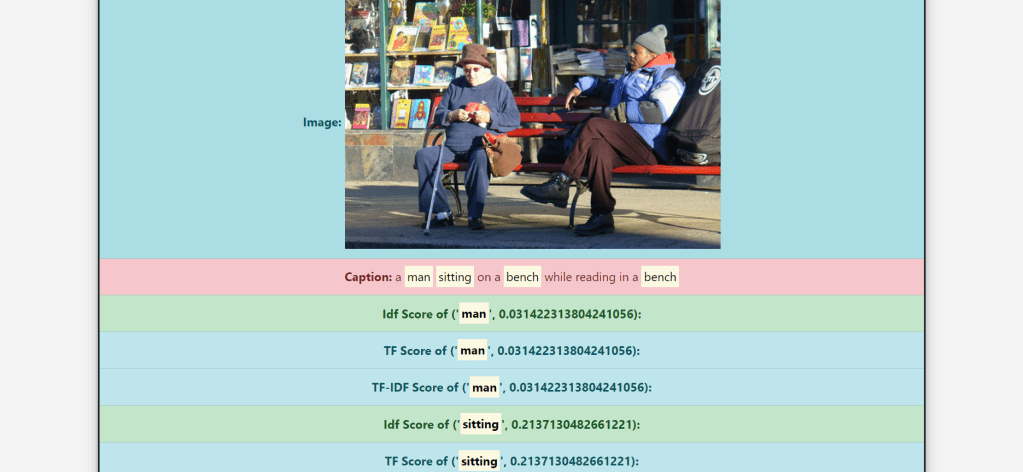

Image Captioning is the process of generating a textual description of an image. It uses both Natural Language Processing and Computer Vision to generate the captions.
In this project, I have implemented an image search feature. For the search feature, first, we have to generate a caption for the images present in our database. For caption generation, we will go through the TensorFlow tutorial. Then we will apply TF-IDF indexing over the captions and implement the search feature. The dataset used for the image captioning model is the MS-COCO Dataset, which is a dataset of images easily accessible by everyone.
Data Preprocessing
The Flickr 30K data set contains 30,000 images. I took 2000 images from these 30,000 images of the Flickr 30K dataset. These 2,000 images have been uploaded to this repository serving as a file server.
Steps to train the Model:
- Download and extract MS-COCO dataset
- Store captions and image names in vectors, and select first 30,000 captions from it along with its corresponding images to train our model.
- Use InceptionV3 pretrained (on Imagenet) to classify each image and extract features
- Initialize InceptionV3 and load the pre-trained Imagenet weights. After this, create a tf.keras model where the output layer is the last convolutional layer in the InceptionV3 architecture.
- For Pre-processing, tokenize the captions and pre-process each image with InceptionV3 and cache the output to disk. Caching the output in RAM would require higher memory space but it would be faster, and the required floats per image would be 8 * 8 * 2048.
- By tokenizing the captions, we will obtain a vocabulary of all the unique words in the data.
- After that, we will limit the vocabulary size to 5000, to save memory. Then, we’ll replace all other words with the token “UNK” unknown. And then create word-to-index and index-to-word mapping.
- Since, we have already extracted the features from the lower convolutional layer of InceptionV3 giving us a vector of shape (8, 8, 2048). So, we squash that to the shape of (64, 2048).
- This vector is then passed through the CNN Encoder. And then, the GRU attends over the image to predict the next word.
- Now, use the teacher forcing to decide the next input to the decoder, and then finally calculate the gradients and apply it to the optimizer and backpropagate.
- So basically, after training the model, a CSV file was opened, and, with the help of a for loop, the testing part of the model was made to run for the number of iterations that were equal to the number of images that were being tested.
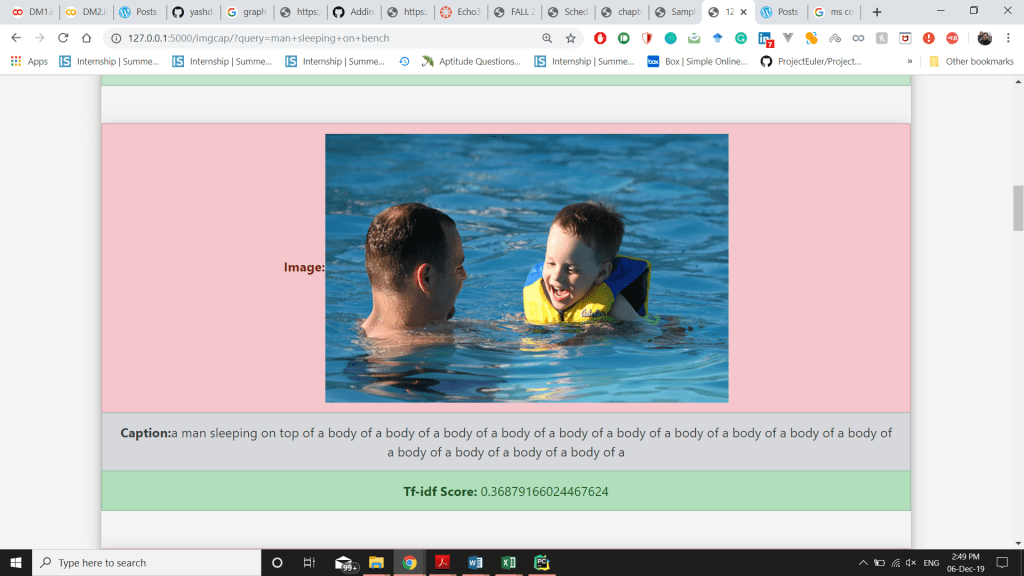
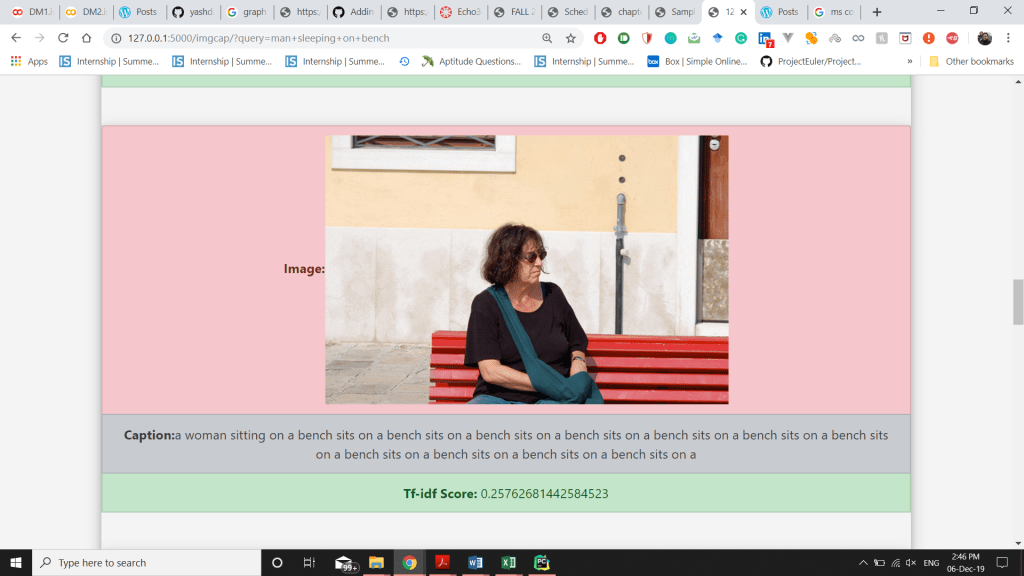
- Then the caption, along with the URL of the image was recorded in a .csv file and the captions were tokenized after that calculate the TF-IDF scores of the predicted caption and display the top-10 results along with the image.
Code to iterate from each image and make .csv file for image and generated caption:
import csv

headers = [['id', 'url', 'caption']]
with open('caption_img.csv', 'w') as csvFile:
  writer = csv.writer(csvFile)
  writer.writerows(headers)
csvFile.close()
import csv
with open('caption_img.csv', 'a') as csvFile:
writer = csv.writer(csvFile)
for i in range(200,2151):
image_url = 'https://raw.githubusercontent.com/yashdani/ImgCap/master/' + str(i) + '.jpg'
image_extension = image_url[-4:]
image_path = tf.keras.utils.get_file('new_' + str(i) + image_extension, origin=image_url)
result, attention_plot = evaluate(image_path)
caption = ' '.join(result)
print(caption)
writer.writerows([[str(i), image_url, caption]])
csvFile.close()
print('csv created')Contributions:
- Wrote the code for creating .csv file, for taking in a large number of images and storing the created captions in a .csv file.
- Built the dataset with around 2,000 images from the Flickr dataset and then predicted the captions for those images.
- Initially, the search time was really high and each search was taking a lot of time due to calculating again and again, so I used .pkl(pickle) file to save search time.
- Revamped the code of my text search to do the caption search along with images.
- Uploaded images onto a GitHub repository, which made access to the image URL much easier.
Experiments:
- Used the Flickr dataset’s CSV file which already had very accurate captions of the images then I trained the model and ran all the images on the model to generate caption, the caption generated for the same images was very different for the captions in the original csv of flickr dataset.
- Tried to store images at multiple cloud platforms to fetch and display on the frontend, and finally settled on the github to store all my images and fetch to get the desired results.
Challenges Faced:
- Training of the model took a lot of time, around 3-4 hours. Even on the Google Colab notebook.
- The use of Google Colab was itself was a difficult task for the people using it for the first time.
- The timeout of server connections lead to incomplete training of the model, and had to be restarted from the first. This issue was resolved by using an extension in chrome working as a replacement to a mouse click.
- Difficulty in creating the dataset using only the images. Extracting all the images with the caption in a .csv file using colab was difficult.
- Understanding the concepts of Neural networks and Deep Learning in a short period of time.
References:
- https://hackernoon.com/begin-your-deep-learning-project-for-free-free-gpu-processing-free-storage-free-easy-upload-b4dba18abebc
- https://github.com/tensorflow/tensorflow/blob/r1.13/tensorflow/contrib/eager/python/examples/generative_examples/image_captioning_with_attention.ipynb
- https://www.tensorflow.org/tutorials/text/image_captioning
- https://towardsdatascience.com/image-captioning-in-deep-learning-9cd23fb4d8d2
 Data Mining Blog